01 / ORDER INTAKE
Order Intake
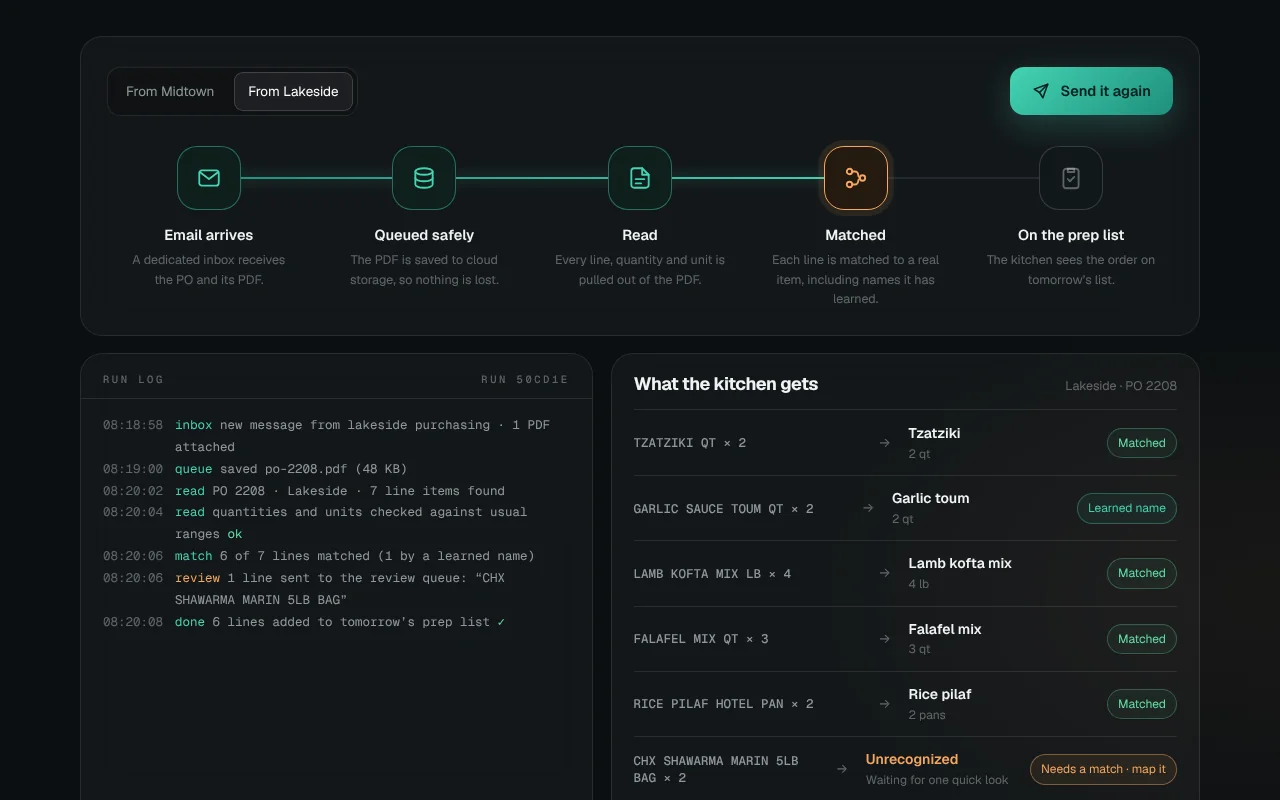
Purchase orders arrive by email as PDFs and land on the kitchen’s prep list, read and matched, with nobody typing. A daily watchdog makes sure it all ran.
Watch it runMost businesses run on emails, PDFs and reports that someone copies from one place to another. Automation does that copying for you and tells you when something goes wrong. This demo is based on a real client build.
Purchase orders arrive by email as PDFs and land on the kitchen’s prep list, read and matched, with nobody typing. A daily watchdog makes sure it all ran.
Watch it runTell us what your team does by hand today. We’ll show you what it could look like.
Start a projectOrders arrived as emailed PDFs and were typed in by hand every morning. Reservation and payroll reports were checked the same way, and a failed overnight job went unnoticed until something was missing.
Dedicated inboxes that catch purchase orders, booking digests and calendar invites, queue them safely, and process them on a schedule. Lines it doesn’t recognize wait for one quick look, and it remembers the answer. A watchdog checks every job daily.
Orders reach the prep list without anyone typing them. Payroll punch problems get flagged before payday, and a missed job means an email to the owner, not a surprise the next morning.
This demo uses a fictional brand and sample data. It’s based on a real client project, shared without the client’s name or data.